How To Find Linux Kernel And Distro Release Version On Any Linux System

linux-release-version-640x356

Short Bytes: Do you know the exact Linux kernel and distro release version of your Linux system? While you can find the kernel version using the uname -r command on all systems, distro version command varies from distribution to distribution. However, most of them display this info using /etc/osname-release.

If you’re an avid Linux-based operating system user, you might be knowing a lot about your machine, including the hardware configuration, the Linux kernel version, the installed packages, and the distribution releases. It teaches you how to take control of your system and learn something new every day–such is the beauty of Linux.

For the new users, in the past, we have prepared a Linux learning guide that introduces the basic concepts and how to accomplish many basic tasks on a Linux computer. There’s another simple thing that a new user needs to know–the Linux kernel version and distro release version of their system.

While it might look like a few fun commands to the beginners, this information might also be useful for experienced users while connecting to some server, fixing a naughty bug, etc. Just like any other thing in Linux, one can know about the Linux kernel version and distro release version in many ways.
manjaro-linux-16-10-terminal

How to find the Linux kernel version?

Do you wish to simply know the Linux kernel version on your Ubuntu, or Fedora, or any other Linux distro? Well, know the Linux kernel version is simple and it can be universally detected using uname.

Just open the terminal and run the following command:

$ uname -r

Here’s the output I got on my Ubuntu 16.10 Yakkety Yak system that’s running Linux kernel 4.8:
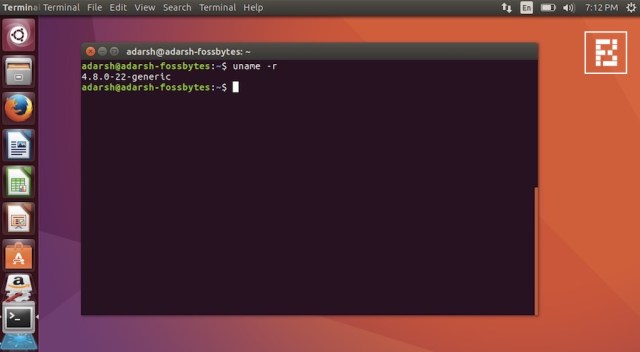
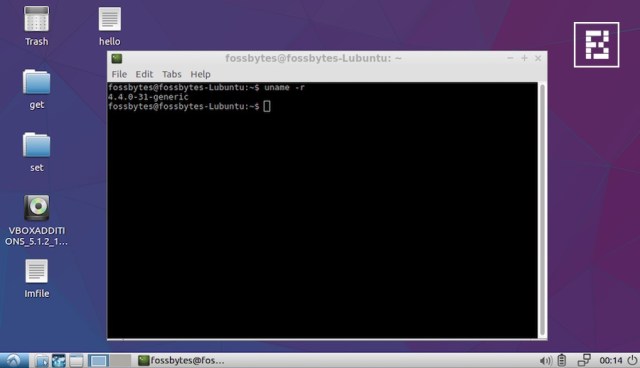
linux-kernel-distro-versionA similar output on a Solus system using uname -a gives the following output:Solus-3.jpgWhen you run uname -r in Lubuntu:
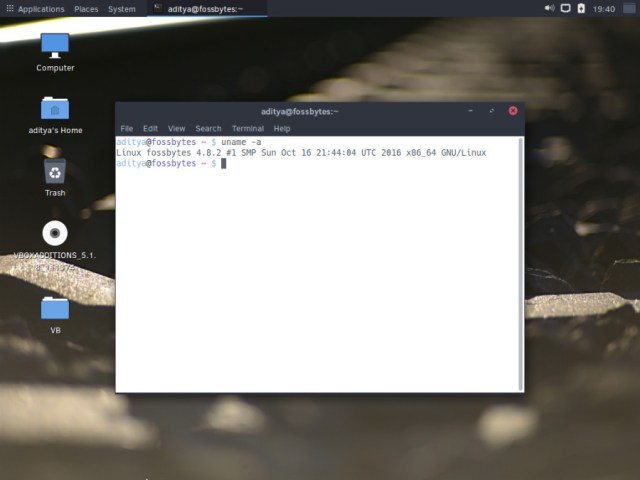
lubuntu-kernel-versions

How to find the distribution release version?

There isn’t a single command to know the distribution and version of your Linux-based operating system. Probably, this is the reason that inspired me to write this post. LSB tools can easily provide this information but they aren’t installed on every Linux distribution.

Ubuntu:

Well, if you’re running Ubuntu, you can get this information by running the following command in your terminal:

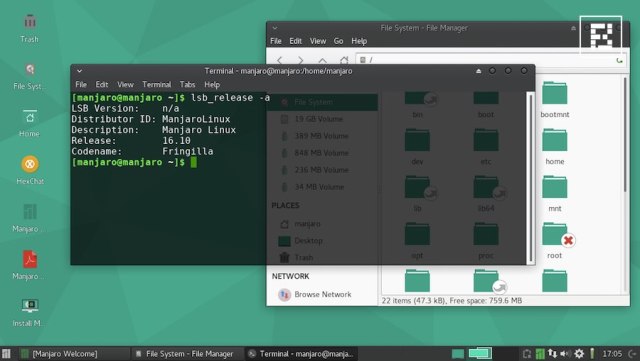
$ lsb_release -a
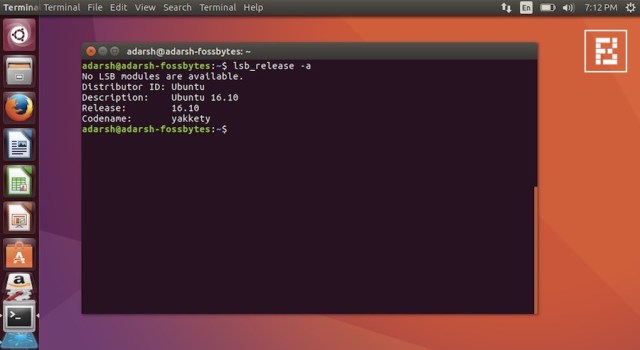
linux-version-distro-lsb-release

Ubuntu, and other distros also provide the release version information via /etc/osname-release command. Here’s how to check the distro version on different systems:

Debian:

$ cat /etc/debian_version

Fedora:

$ cat /etc/fedora-release

Red Hat, Older CentOS:

$ cat /etc/redhat-release

CentOS:

$ cat /etc/centos-release

Gentoo:

$ cat /etc/gentoo-release

openSUSE:

$ cat /etc/SuSE-release

Slackware:

$ cat /etc/slackware-release

Mandriva:

$ cat /etc/madriva-release

For other distros:

As you can see above, most popular distros follow a pattern. If you don’t find the name of your distro in the above-mentioned list, you can follow $ cat /etc/*{release,version} pattern.

There’s another way of finding the Linux distro version using /etc/issue. This might work on some systems; some systems might show access notification popups. linux-kernel-distro-version-1

Did we miss something? Don’t forget to add your feedback in the comments section below.

Now Watch: Interesting Linux facts  https://youtu.be/Ouy3CYv4uN4

How To Find Direct Download Link Of Any Movie, The Ultimate Guide

direct-link-of-any-movie

Everyone would be a movie lover like me. But when you search a movie on Google and click on any website, you would find a lot of pop-ups, banner and irrelevant ads. So here we have a cool way to find a direct download link of any movie, you can download any movies without accessing several websites. So have a look on complete guide discussed below.

We are here with ultimate Google search tricks that will help you in finding the direct link of any movie. Let’s drive it.

How to Find Direct Download Link of Any Movie

This method is quite simple and handy. You just need to follow the steps below.

Method 1:

Step 1: First of all, you need to launch the web browser on your device.

Step 2: Now type the name of any movie, whatever you want to download, copy and paste the following code given below along with the movie name.

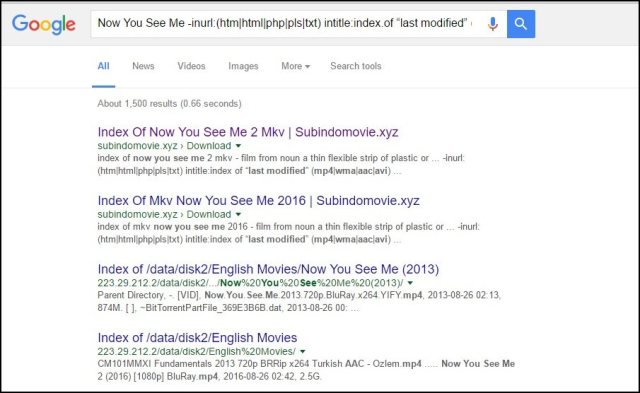
Movie Name -inurl:(htm|html|php|pls|txt) intitle:index.of “last modified” (mp4|wma|aac|avi)

direct-movie-link-1Step 3: Now, you will get Google result and now you can click on either first or second results. You will get the download link of the movie.direct-movie-link-2.jpg
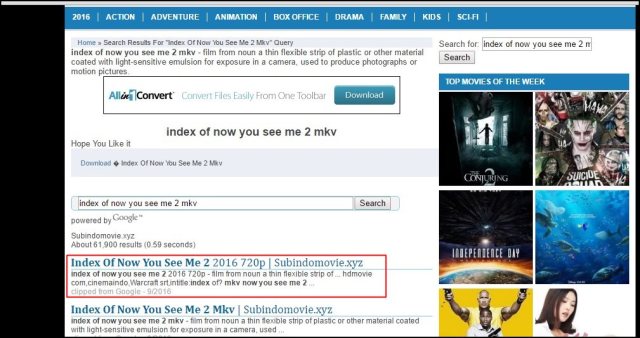
Method 2:

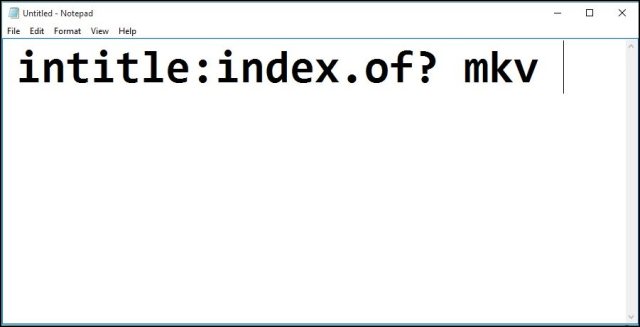
Step 1: First of all, copy and paste the code below in your favorite browser.direct-movie-link-3

Step 2: Now, open the Google in your browser and paste the above code in Google, after the code, you have to enter the name of the movie that you want to download.

For instance, if you want to download the movie “Avengers,” enter the movie’s name after the code.

intitle:index.of? mkv Avengers 

direct-movie-link-4

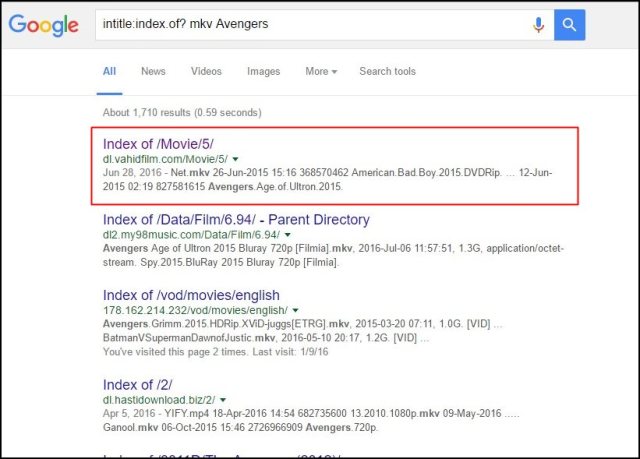
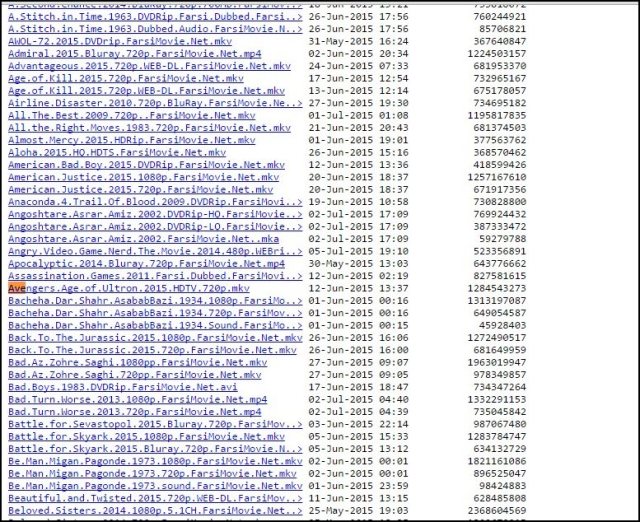
Step 3: Now, hit the enter button or search on Google, you would get following results that are shown in the image below.  Here are a lot of movies with a different name, simply press CTRL+F together and search the movie by name. Click on the movie link and you movie will start downloading.direct-movie-link-5.jpg

Get your mobile site up to speed An engineer

Get your mobile  site up to speed An engineer knows that every decision can impact performance, so projects must be continually assessed to develop the optimal design. It’s like keeping a bike fast— you have to  keep tuning it up, or else you’ll end up with a slow mode of transportation.Your mobile site is no different. Improving your mobile site speed requires clear assessment  of the problem, executing solutions and monitoring impact. The good news is that the tools to improve mobile speed are easily accessible. This guide will walk through the steps you 1. Measure your site’s performance  Before you try to fix anything, you need to assess your site and learn what exactly is slowing it down. These tools provide  the best measurement and metrics for mobile speed.PageSpeed Insights analyzes your site performance, scoring its speed and user  experience and identifies issues to fix. The best practice is a score of 85 or above.1 Webpagetest provides a Speed Index that indicates the average time at which visible parts  of the page are displayed. Aim for a Speed Index of 3,000 or less and load time of 10 seconds or  less — ideally 1-5 seconds.2 User Timing API allows you to generate custom metrics for business-specific needs.Google Analytics Site Speed reports offer insights  into how quickly users are able to see and interact with content, as well as what the drop off  points are.  Chrome DevTools is a versatile real-time tool for evaluating your website’s performance right in  the browser. You can simulate network and CPU speeds, examine network loading details and see how your site’s code is impacting your page.Mobile-Friendly Test is designed specifically for mobile sites. This tool analyzes exactly how mo-bile-friendly the site is, and focuses on elements beyond speed as well.  2. Assess the different components impacting speedTo fix mobile speed at a technical and organizational level, you need to examine your ads, content and tech architecture. Reduce the size of your pages. Target 50 or fewer requests and 1,000 or fewer bytes to optimize load time. Compress and select efficient images, and prioritize download of visible content. To fix mobile speed at a technical and  organizational level, you need to examine your  ads, content and tech architecture. 2. Assess the different components  impacting speed Assess the ads and trackers running on your page. Use a tool to measure the bandwidth and latency impact of pixels and other elements on your pages (eg. Ghostery). Evaluate if trackers are needed and used, and if they provide enough benefit.Review latency of your ad partners, especially those delivering video ads, and remove low performing monetization partners. 3. Prioritize the order your site loadsEnable HTTPS and HTTP/2. Support Support modern HTTPS to provide site integrity, encryption,  authentication, and better user experience. More than 1-in-3 of top 100 sites run on modern HTTPS, and a quarter of them use HTTPS  by default. Limit server requests where possible.Each mobile page makes an  average of 214 server requests,3some of which happen simultaneously and some that can only happen one after the other. Review each request on your site to understand the benefit it provides.  Speed is more than just a number. Instead of asking “What does slow mean?”, ask “What does the user feel?” This user perception is the main driver of movement for lower bounce rates and more engagement. Make sure your site is loading in the optimal order for mobile performance— even one piece out of place can make a huge difference in spee 4. Test, remeasure, repeat to improve  your site speed Continually assess your ad-related calls to remove low performing monetization partners.  Pick third-party ad-tech partners with lower latency.  Remove or reduce any bulky content. Consolidate data and analytics tags. Investigate open-source tools such as Accelerated Mobile Pages (AMP) and  Progressive Web Apps (PWA).  Once you’ve run diagnostics and executed chang-es, it’s important to keep testing it to ensure these speed gains only improve. There are a few steps you can take to make sure you keep your mobile site at top speed: 53%of mobile site visits are abandoned if a page takes longer than 3 seconds to load.4 Mobile speed matters. With these steps to increase your mobile speed, you can keep users engaged for longer and increase your mobile revenue opportunity.